
Put a song on and the dream dances to it
Visualizer Mode listens to whatever is playing on your PC and moves the dream on screen with it. It works over every Feel, and one key turns it on.
Recorded from the app over a test track. The clip is silent.
It hears whatever your PC is playing
There is nothing to connect and no file to load. Play music in any app, and ADdes picks up the sound on its way to your speakers, using Windows process loopback. That capture leaves out ADdes itself, so its own soundtrack never feeds back into the picture. The sound is analysed on your machine. ADdes works fully offline and sends nothing anywhere.
Three clocks in the song, and what each one moves
A song changes at several speeds at once: the beat, the phrase, and the longer passage. Visualizer Mode gives each a different job, so the fast things in the music move the picture and only the slow things change its light.
- The beat
- Moves the dream's afterglow. The fresh fractal stays crisp, and its trails flow away from it like ink in water. Each hit pushes them outward or twists them. The treble makes the dream's brightest strokes flare.
- The phrase
- Sets the light, over about one to three seconds. It swells and ebbs with the music as a mood. It does not pump on every hit.
- The passage
- Sets the colour, over about 10 to 30 seconds. A louder passage turns the hue one way and a quieter one the other, and the colour grows richer or plainer with it. The colour also leans with the harmony, by the chord's place round the circle of fifths.
When the music drops, the dream changes
A drop is the moment a song comes back after a quiet stretch. ADdes waits for about three seconds of quiet and then a sudden return. When it comes, a wave goes out through the afterglow, the colour turns a third of the way round the wheel, and the next dream comes in.
Drops are found at most once every 15 seconds, and a song with no quiet stretches has none. That is fine: the dream still moves on its own timer.
A drop in the test track, and a scene coming in. Recorded from the app.
Scenes drawn from the song itself
At a drop the dream can give way to a scene: a picture made from the music, not from a fractal seed. The two crossfade over 3 seconds. A scene stays at least 20 seconds and at most a minute, then the dream returns. In a song without drops, one comes in now and then on a rising phrase.
- Bloom
- A kaleidoscope drawn from the song's own waveform, showing the last two seconds of the music at once.
- Crystal
- The same kaleidoscope as a single shape that morphs into the next.
- Liquid light
- Ribbons of light born at six sources and carried by a current that the music stirs.
Visits take turns: Bloom, Liquid light, Bloom, Crystal. You can switch any of them off.
Set how hard it dances
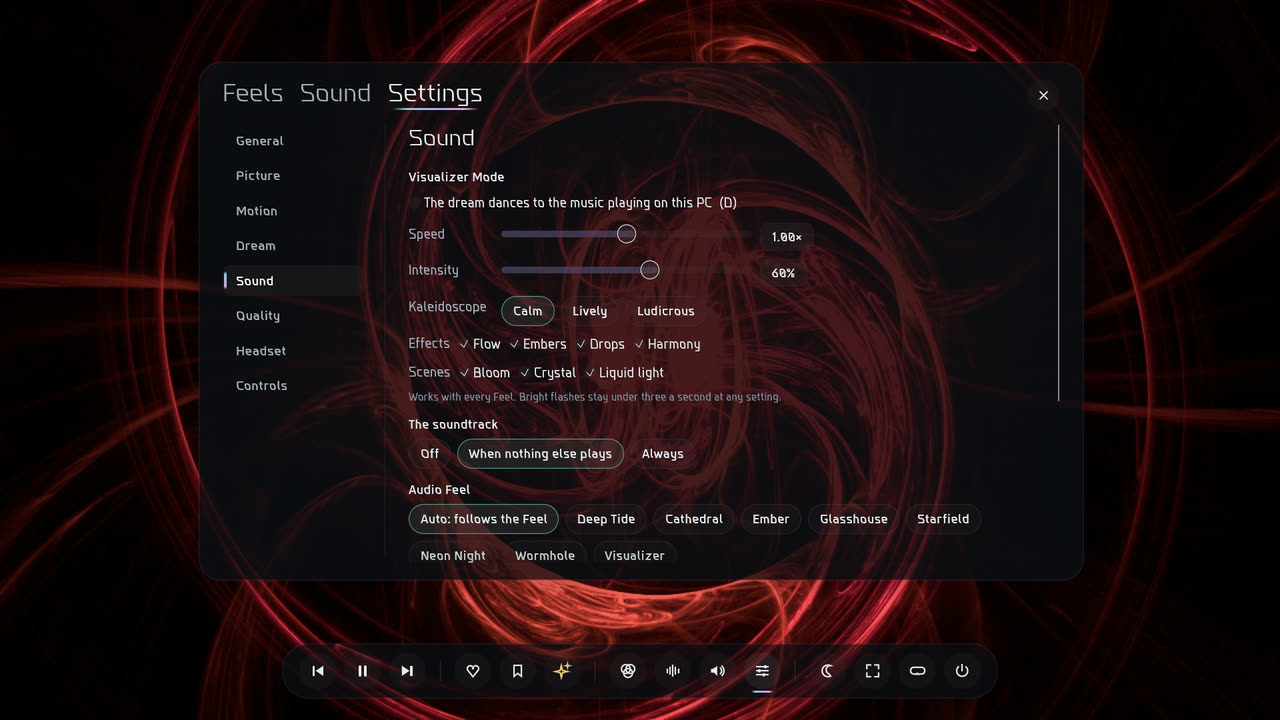
Everything is in the Sound section of Settings.
- Speed
- How fast the dream rushes with the music. 1× is as designed, and it runs from a third of that to three times.
- Intensity
- How deep every reaction goes, from 0 to 100%. 60% is as designed.
- Kaleidoscope
- How fast Bloom and Crystal morph: Calm, Lively or Ludicrous. It starts on Calm. Ludicrous is ten times as fast.
- Effects
- Four switches, all on to begin with. Flow is the afterglow moving with the beat, Embers the flare on the treble, Drops the change when the song comes back, and Harmony the colour following the chords.
- Scenes
- Bloom, Crystal and Liquid light, each on or off. With none ticked there are no scenes.
Any Feel can dance
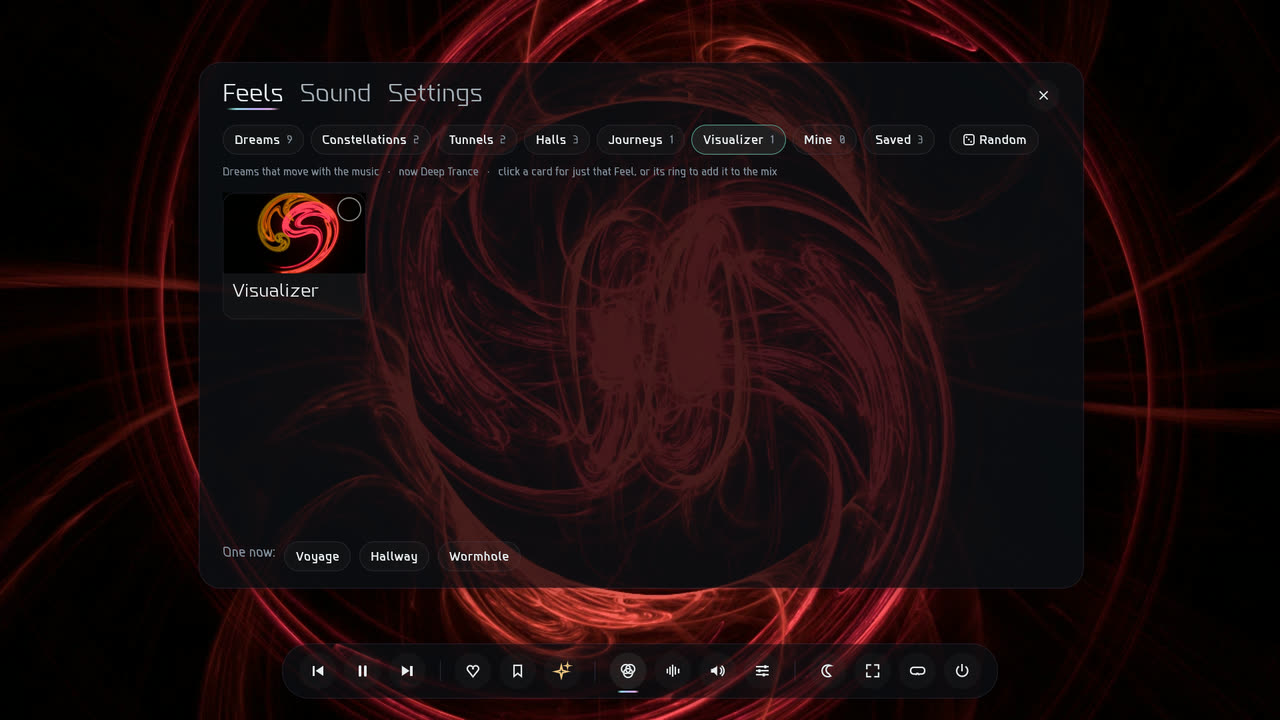
Visualizer Mode is a switch, not a Feel, so whatever is on screen is what dances: a Dream, a Constellation, a hallway. Turn it off and the dreams go back to exactly what they were.
The Feels menu also has a Visualizer drawer with one Feel in it, made for music. Its light swells and dips with the phrasing of a song, never faster than twice a second.
The limits that keep it safe to watch
Visualizer Mode is livelier than the ordinary dreams and does not follow their calm limits. It has a floor of its own, applied to the light last, that no slider can move.
- Flashes are rationed
- A bright flash is allowed at most once every half second, so there are never more than two in a second, whatever the Speed and Intensity.
- The light is rate-limited
- Outside a flash, brightness moves no faster than a tenth of full scale in 100 ms.
- Changes ease in
- The flow, the flare, the colour and the scenes each rise and fall over their own set times, so nothing arrives in a single frame.
These limits lower the risk. They are not a medical guarantee. If you are sensitive to flashing or moving light, leave Visualizer Mode off: the ordinary dreams never flash.
In the headset
Visualizer Mode works in VR. The light and the colour follow the music all around you, and a drop turns the colour and brings in the next dream. The scenes stay off in the headset, and so do the afterglow's flow and the flare, because they have not been tested there yet.
How to turn it on
- Press D.
- Or move the mouse and click the wave button on the menu bar.
- Or open Settings, choose Sound, and tick the box under Visualizer Mode.
The same three turn it off again. When nothing else is playing, ADdes plays its own soundtrack, unless you have switched that off.
Get ADdes. Coming soon.